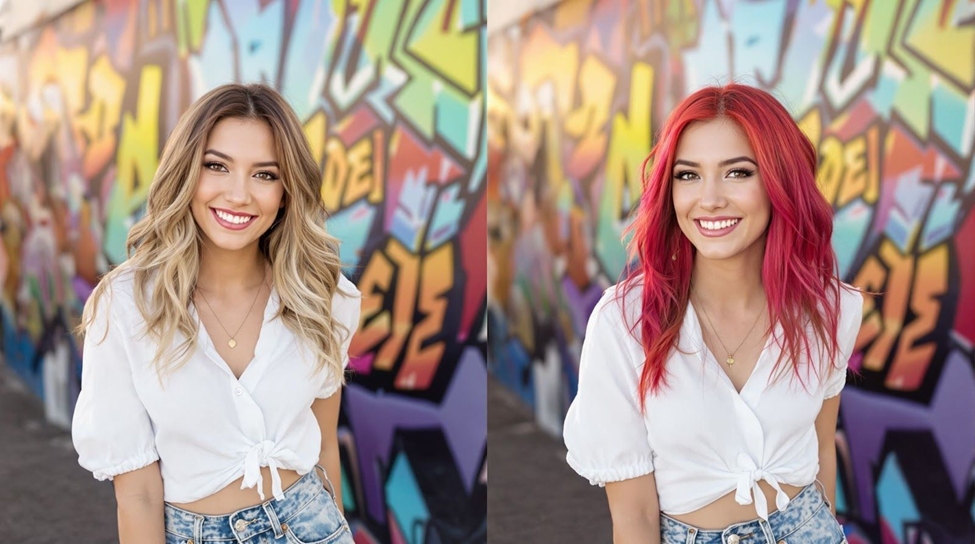

Are you still using the same filter from 2021? If so, it’s time your selfies got a glow-up.
Facetune has long been a go-to for smoothing skin, whitening teeth, tweaking lighting, and editing blemishes out of otherwise post-worthy pics. But what started as a handy touch-up tool has quietly evolved into something far more powerful and a lot more fun.
The latest version of the app brings in AI-powered upgrades that go beyond standard editing and into the realm of creative expression. You can test a totally different hairstyle or throw on a new outfit, all in a few taps, taking your photos from “this will work” to “must share now.”
The AI Hairstyle and Hair Color tool is where things start to feel less like editing and more like trying on looks. You can tap through styles like long waves, blunt bobs, or a fringe (and switch up the shade while you’re at it). Some options feel playful, many of which are photorealistically convincing, and it holds up well even when your source material has tricky lighting.
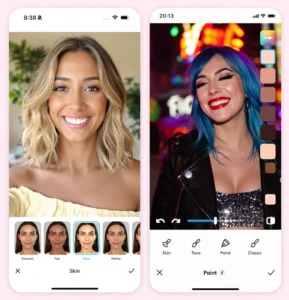
Then there’s the AI Outfit Changer, which is like a virtual wardrobe refresh. It doesn’t matter whether you’re in loungewear but want to post a glam vibe, or just want to test how you would look in streetwear, this tool lets you switch your whole style without ever opening your closet. It’s ideal for social media hounds and creators who post frequently but don’t want to plan an entire shoot (or outfit) for every post.
The app has also added new skin filters, including freckle overlays, dewy blush, and soft “vacation glow” tones that add just the right amount of polish without veering into anything too unrealistic. These filters are subtle, and that’s the point – even when you layer them.
However, Facetune’s real strength is that it strikes the perfect balance between automation and control. You can go the quick route and use one-tap retouching for instant polish, or take your time fine-tuning details like lighting angles, jawline definition, or eye brightness. So you’re completely in charge of how filtered the final image looks.
Here’s a typical use case. Let’s say you snap a selfie in poor lighting while waiting for your coffee. A few taps later, you’ve brightened the shadows, added a warm tone, tried on curtain bangs, extended your nails, and swapped your hoodie for a cropped leather jacket. The result is the kind of shot that looks casually cool and turns your imagination into visuals.
Even the basics are improved, thanks to the latest advancements in AI developed by Facetune’s parent company, Lightricks. Skin smoothing is adjustable, so it doesn’t blur your features. The teeth-whitening tool is also precise, and the blemish edits blend cleanly without looking heavy-handed. So, if you’re new to editing, the learning curve is pretty low.
Once you’re done editing, it’s easy to post. Save multiple versions if you’re indecisive, or just send them straight to Instagram, TikTok, or Snapchat without leaving the app.
The bottom line: If you’re a selfie-lover, content creator, self-image explorer, or anyone serious about their Instagram grid, Facetune is certainly worth a second glance. You can glide through a one-tap retouch or fine-tune details manually, depending on your mood (or your audience), and the results look polished but not plastic, even when you push the tools a bit. So, all in all, we figure Facetune’s seven-day free trial is definitely worth a try.